Not Every LLM Needs vLLM: A Kubernetes Engineer's Guide to Serving Engines
Series links
- Part 1: Everything You Know About Scaling Web Apps Breaks When You Serve an LLM
- Part 2: The Request Is the Wrong Unit of Scale for LLMs on Kubernetes
- Part 3: How Do You Fit a Trillion-Parameter Model Into a Kubernetes Cluster?
- Part 4: Before the Pod Starts: GPU Node Setup for LLMs on Kubernetes
- Part 5: OpenAI Already Told Us the Kubernetes Scaling Story, Most People Just Did Not Read It Closely
- Part 6: Your First LLM API on Kubernetes: From Model to Curl Request
In Part 6 we deployed Qwen/Qwen2.5-1.5B-Instruct on a Kubernetes GPU node and called it with curl. It answered. That worked because the pod ran a serving engine called vLLM, which quietly did the hard parts: downloaded weights, loaded them onto the GPU, started an OpenAI-compatible HTTP server, and handled token generation.
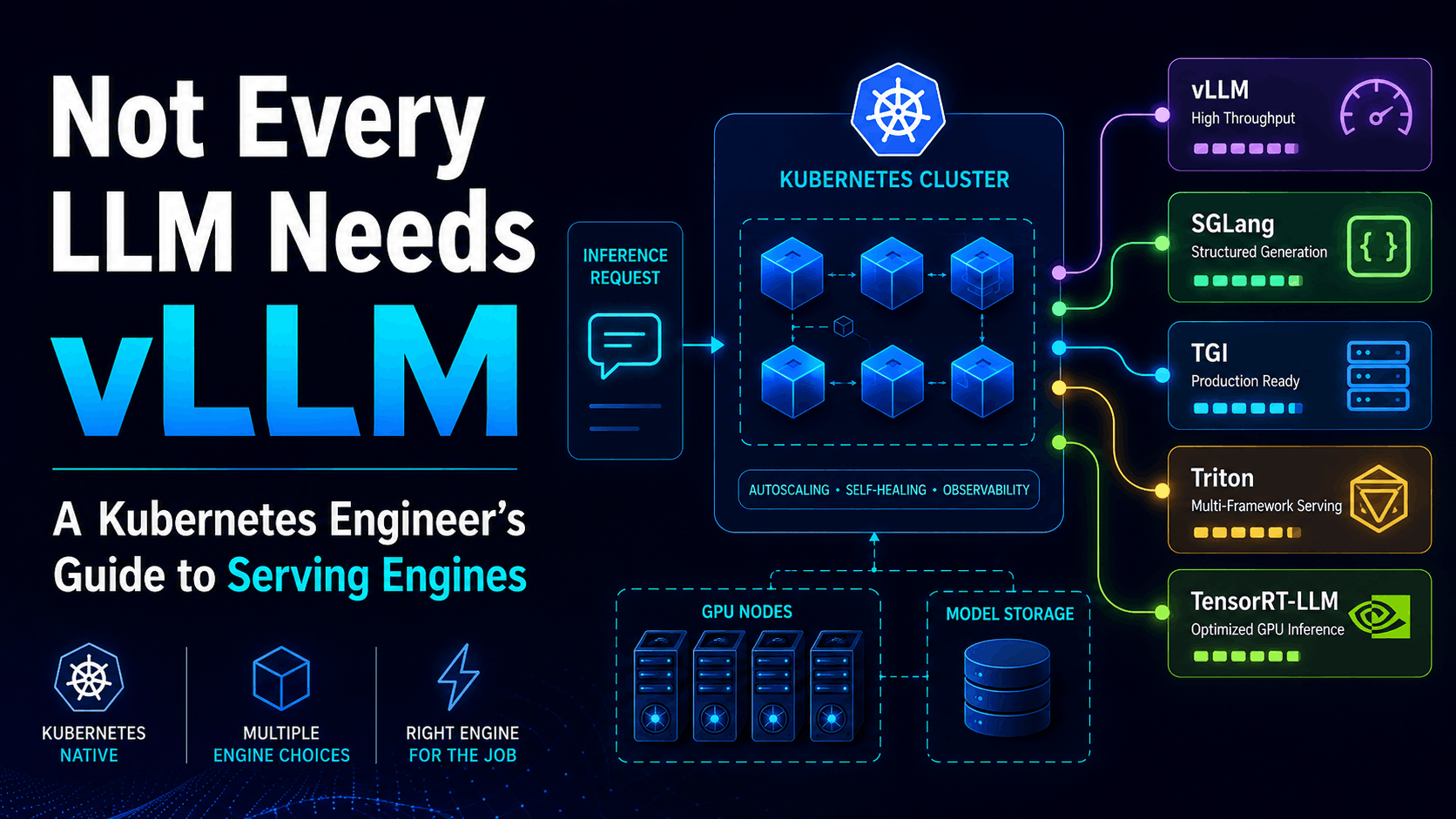
Here is the thing. vLLM is not the only engine that can do that job. SGLang, TGI, Triton, and TensorRT-LLM can all sit in that same container and serve the same model behind the same Kubernetes Service. The kubectl apply looks almost identical. What changes is everything that matters for production: startup time, memory behavior, latency, throughput, batching, observability, and how much wiring you have to do yourself.
This part is about making that choice deliberately instead of by default.
Kubernetes does not run the model
This is worth saying plainly, because it is the most common confusion after a first deployment.
Kubernetes gives you pods, scheduling, GPU allocation via the device plugin, Secrets, Services, health checks, rolling updates, and networking. All of that is real and necessary. None of it generates tokens.
The serving engine is the process inside the container that actually does LLM work:
- loads model weights into GPU memory
- initializes the tokenizer and the model runtime
- manages the KV cache as requests arrive
- batches requests to keep the GPU busy
- runs the forward passes that produce output tokens
- streams or returns responses
- exposes metrics so you can see what is slow
When your LLM API is slow, the first place to look is usually the engine, not Kubernetes. A pod in Running with healthy CPU and memory can still have a broken batching strategy, a KV cache that is too small, or a queue that is backing up silently. Kubernetes will not tell you any of that, because Kubernetes does not know. The engine knows.
So picking a serving engine is not a tooling preference. It is a decision about which runtime you trust to manage your GPU, your latency, and your token throughput.
The five engines you will actually see
There are more than five LLM serving engines in the world. These are the five that show up in serious Kubernetes LLM platforms and in most job postings. They are not ranked best to worst. They are different tools for different problems.
vLLM
vLLM is the default most teams reach for, and for good reason. It is open source, broadly supported across hardware, exposes an OpenAI-compatible API out of the box, and ships PagedAttention, which is a memory-efficient way to manage the KV cache that we will dig into in Part 8.
For a first LLM API on Kubernetes, vLLM is hard to beat. It hides the ugly parts without hiding the shape from you. You still see the model name, the GPU request, the port, and the logs. You do not have to write your own batching loop or HTTP wrapper.
Where vLLM is less obvious: heavily structured generation, complex multi-step prompt programs, and workloads where you need fine control over prefix caching across agentic chains. vLLM has answers for all of these, but other engines were built around some of them first.
Serve command shape:
vllm serve Qwen/Qwen2.5-1.5B-Instruct --host 0.0.0.0 --port 8000
SGLang
SGLang is the engine that has been eating into vLLM's territory over the last year, and for real reasons. It ships RadixAttention, which is a smarter prefix cache that recognizes when multiple requests share a common prompt prefix and reuses the computed work. For agentic workloads, RAG, and anything with repeated prompt scaffolding, that can be a serious latency and cost win.
SGLang also has strong structured generation, multi-LoRA support, and early support for prefill-decode disaggregation. It is OpenAI API compatible. It is the engine behind several large production deployments now, including xAI.
One caveat worth being precise about: RadixAttention does not help because prompts are semantically similar. It helps when their beginning token sequence is actually the same. If two requests share a system prompt and the first chunk of instructions, the shared prefix gets reused. If the prompts are only topically similar but diverge at the token level from the start, there is no reuse. That distinction matters when you are designing prompt templates for an agentic system.
If your workload is chatbot-shaped and simple, vLLM and SGLang will both serve it well. If your workload is agentic, multi-turn, heavy on shared system prompts, or needs constrained JSON output, SGLang is worth a serious look.
Serve command shape:
python -m sglang.launch_server --model-path Qwen/Qwen2.5-1.5B-Instruct --port 8000
Hugging Face TGI
TGI, or Text Generation Inference, is Hugging Face's own serving server. It is tightly integrated with the Hugging Face ecosystem. If your team already lives in HF Hub, uses HF model cards as source of truth, and wants a serving path that feels native to that workflow, TGI is a natural fit.
A real caveat as of 2026: TGI's original repository is now in maintenance mode. Hugging Face has been moving toward a transformers-based inference engine instead. TGI still works and remains available, but new platform bets should check HF's current recommendation before standardizing on it. It may be the right short-term choice for an existing TGI estate and the wrong long-term bet for a fresh platform.
Serve command shape:
text-generation-launcher --model-id Qwen/Qwen2.5-1.5B-Instruct --port 8000
NVIDIA Triton Inference Server
Triton is the odd one out in this list, and that is the point. The other four engines are LLM servers. Triton is a general inference server. It serves LLMs, yes, but also embedding models, vision encoders, speech models, classification heads, and custom preprocessing pipelines, all in the same process, behind the same API surface.
That sounds like a feature, and for some teams it is. If your platform needs to serve an LLM, a CLIP image encoder, and a sentence embedding model on the same GPU fleet, Triton's multi-backend, multi-model shape is genuinely useful. You define a model repository where each model declares its backend, and ensemble configs let Triton stitch preprocessing, model execution, and postprocessing into one served pipeline.
The tradeoff is complexity. Triton expects you to think in terms of model repositories, config files, and backend abstractions. For a single LLM API, that is more ceremony than the problem needs. Notably, Triton can run vLLM as a backend, so you are not forced to choose. You can get Triton's multi-model management with vLLM's LLM efficiency underneath.
For a first LLM API, Triton is overkill. For a platform team running a mixed inference fleet, it earns its complexity.
TensorRT-LLM
TensorRT-LLM is NVIDIA's performance-optimized path for LLM inference. It compiles models into TensorRT engines, with heavy optimization for NVIDIA GPUs: fused kernels, in-flight batching, KV cache management, quantization, and speculative decoding hooks. When you read a benchmark where an LLM is hitting very high throughput on H100s or GB200s, there is a decent chance TensorRT-LLM is underneath.
The cost is build complexity. You can get started more directly with trtllm-serve now, but the production path still often involves engine build and optimization choices, quantization settings, GPU-specific assumptions, and more NVIDIA-specific packaging than vLLM or SGLang. You do not just pull an image and pass a Hugging Face model ID the way you do with vLLM in a zero-config walkthrough.
Use TensorRT-LLM when latency and cost per token matter enough to justify the engineering investment, and when you are committed enough to NVIDIA hardware that building NVIDIA-specific engines is acceptable. For experimentation, prototypes, and most teams' first production deployment, it is not the starting point.
Serve command shape (modern):
trtllm-serve Qwen/Qwen2.5-1.5B-Instruct --host 0.0.0.0 --port 8000
Swapping the engine: a real walkthrough
The best way to understand how these engines differ on Kubernetes is to swap one in. In Part 6 we deployed Qwen2.5-1.5B with vLLM. Now we deploy the same model with SGLang on the same cluster, using the same namespace and the same Hugging Face Secret. The goal is to see what changes and what stays identical.
Assume the namespace llm-demo and the hf-token Secret from Part 6 still exist. If not, recreate them first.
Create qwen-sglang.yaml:
apiVersion: apps/v1
kind: Deployment
metadata:
  name: qwen-sglang
  namespace: llm-demo
spec:
  replicas: 1
  selector:
    matchLabels:
      app: qwen-sglang
  template:
    metadata:
      labels:
        app: qwen-sglang
    spec:
      containers:
        - name: sglang
          image: lmsysorg/sglang:latest
          imagePullPolicy: IfNotPresent
          command:
            - python3
            - -m
            - sglang.launch_server
            - --model-path
            - Qwen/Qwen2.5-1.5B-Instruct
            - --host
            - 0.0.0.0
            - --port
            - "8000"
            - --enable-metrics
          ports:
            - containerPort: 8000
              name: http
          env:
            - name: HF_TOKEN
              valueFrom:
                secretKeyRef:
                  name: hf-token
                  key: HF_TOKEN
          startupProbe:
            httpGet:
              path: /health
              port: http
            failureThreshold: 60
            periodSeconds: 10
          readinessProbe:
            httpGet:
              path: /health
              port: http
            periodSeconds: 10
            timeoutSeconds: 2
            failureThreshold: 3
          resources:
            limits:
              nvidia.com/gpu: 1
          volumeMounts:
            - name: shm
              mountPath: /dev/shm
      volumes:
        - name: shm
          emptyDir:
            medium: Memory
            sizeLimit: 2Gi
---
apiVersion: v1
kind: Service
metadata:
  name: qwen-sglang
  namespace: llm-demo
spec:
  selector:
    app: qwen-sglang
  ports:
    - name: http
      port: 8000
      targetPort: 8000
Apply it:
kubectl apply -f qwen-sglang.yaml
Watch the pod:
kubectl get pods -n llm-demo -w
Follow the logs while SGLang loads the model:
kubectl logs -n llm-demo -f deployment/qwen-sglang
You will see SGLang print its own startup sequence: downloading weights, building the model, initializing the scheduler, and starting the HTTP server. The exact log lines differ from vLLM, but the phases are the same. This is the point: every engine has to do the same fundamental work. They just do it with different internals.
The manifest includes a startupProbe and a readinessProbe against /health. The startup probe gives the pod up to 10 minutes to load the model before Kubernetes restarts it, which matters because model servers are slow to boot compared to normal services. The readiness probe then takes over and gates traffic on the engine actually being healthy. We will talk more about why readiness is engine-specific later in this article.
Port-forward:
kubectl port-forward -n llm-demo svc/qwen-sglang 8001:8000
Notice we used 8001 locally instead of 8000. That is so the vLLM deployment from Part 6 and the SGLang deployment can run side by side if you want to compare them.
Call the SGLang server with the same OpenAI-compatible request:
curl http://127.0.0.1:8001/v1/chat/completions \
  -H "Content-Type: application/json" \
  -d '{
    "model": "Qwen/Qwen2.5-1.5B-Instruct",
    "messages": [
      {
        "role": "system",
        "content": "You are a concise Kubernetes assistant."
      },
      {
        "role": "user",
        "content": "Explain what a Kubernetes Service does in two sentences."
      }
    ],
    "max_tokens": 120,
    "temperature": 0.2
  }'
The response shape will look familiar. Both vLLM and SGLang implement the OpenAI chat completions contract, so the same client code works against either. The model answered the same question through a different engine, on the same cluster, with the same GPU request.
That is the practical middle ground for this article. One full second-engine deploy so you can feel the difference, and the rest as snippets and comparison, because doing all five as full walkthroughs would be five articles.
What actually changes in the YAML
If you diff the vLLM Deployment from Part 6 against the SGLang Deployment above, most of the file is identical. That is not a coincidence. Kubernetes does not care which engine you run. The interesting changes are small and specific.
What stays the same:
namespace: llm-demo- GPU request:
nvidia.com/gpu: 1 HF_TOKENSecret mount/dev/shmmemory-backed volume- Service shape and port
imagePullPolicy
What changes:
| Field | vLLM | SGLang |
|---|---|---|
| Container image | vllm/vllm-openai:latest | lmsysorg/sglang:latest |
| Command | vllm serve <model> | python3 -m sglang.launch_server --model-path <model> |
| Env var both expect | HF_TOKEN, HUGGING_FACE_HUB_TOKEN | HF_TOKEN |
| Health endpoint | /health | /health |
| Metrics endpoint | /metrics | /metrics when launched with --enable-metrics |
For TGI the image becomes ghcr.io/huggingface/text-generation-inference:latest and the command becomes text-generation-launcher --model-id <model>. For Triton and TensorRT-LLM the shape diverges more, because both expect a model repository or a compiled engine rather than a single model ID flag.
The pattern to internalize: your Deployment YAML is mostly Kubernetes plumbing. The engine-specific surface area is small, but that small surface controls startup time, memory behavior, batching, and latency. Two Deployments that look 90 percent identical can behave completely differently under load.
Two practical notes on the SGLang manifest. First, pin the image tag instead of using latest in production. SGLang moves fast, and CUDA runtime variants matter. For the walkthrough, latest keeps the example readable. Second, the /dev/shm emptyDir is set to 2Gi, which is enough for this small demo model. Scale it up, or use --ipc=host, for larger models. Strange failures inside model servers are often shared memory limits in disguise.
What the logs tell you
Startup logs are the fastest way to recognize which engine you are actually talking to, and the fastest way to see what each engine cares about.
vLLM logs tend to mention PagedAttention, KV cache blocks, and the number of GPU blocks available. SGLang logs mention RadixAttention, the scheduler, and server start. TGI logs mention sharding, the launcher, and router startup. Triton logs mention model repository loading and backend initialization. TensorRT-LLM logs mention engine building, profiling, and kernel selection.
None of those log lines are decoration. Each one is the engine telling you what it optimized for. When something goes wrong in production, these are the lines you will be reading. Get comfortable with the startup output of whichever engine you pick, because that is where the first debugging clue usually lives.
A decision table, not a ranking
The honest answer to "which engine should I use" is "which problem do you actually have." Here is how that maps.
| If your workload is... | Start with... |
|---|---|
| First practical OpenAI-compatible LLM API | vLLM |
| Agentic, multi-turn, heavy shared prompts, structured JSON output | SGLang |
| Existing TGI or HF Inference Endpoint estate, short-term compatibility | TGI, but do not choose it blindly for a new long-term platform |
| Multi-model fleet: LLM plus embeddings plus vision on shared GPUs | Triton, possibly with a vLLM backend inside |
| Maximum NVIDIA GPU performance, you accept build complexity | TensorRT-LLM |
None of these is wrong for a production LLM platform. All of them are wrong for at least one shape of workload. The mistake is picking an engine because it is famous and then bending your workload to fit it.
What this means for Kubernetes
Your Deployment YAML changes less than your operational assumptions. The same Kubernetes patterns apply across all five engines: GPU requests, Secrets, Services, readiness probes, rolling updates, HPA with custom metrics. The runtime behavior underneath is where the real differences live.
Three things are worth holding onto as you move toward production.
First, readiness is engine-specific. A generic TCP readiness probe will tell you the port is open. It will not tell you the model is loaded, the KV cache is allocated, or the server is actually accepting inference requests. Use the engine's own health endpoint, and learn what it actually checks.
Second, metrics are engine-specific. All five expose Prometheus metrics, but the metric names and meanings differ. vLLM exposes vllm:num_requests_running, vllm:time_to_first_token, and KV cache usage. SGLang exposes its own equivalents. Triton and TensorRT-LLM have their own surfaces. When you wire up autoscaling in Part 14, you will need to know which metrics your chosen engine actually emits. Generic CPU-based autoscaling is close to useless for LLM serving.
Third, startup time varies a lot between engines. TensorRT-LLM can spend significant time building or loading an engine before it serves a single request. vLLM and SGLang are faster to first token but still slower than a typical web service because model loading is real work. This matters for autoscaling, scale-to-zero, and cold starts, which we cover in Part 15.
The Kubernetes object may look similar across engines. The platform behavior will not be.
Where this leads next
Once you accept that the serving engine is where the model actually runs, the next question becomes obvious: why does GPU memory disappear as concurrent requests pile up?
The answer is the KV cache. Every active request holds a chunk of GPU memory proportional to its context length. As more requests arrive, and as contexts get longer, the KV cache eats into the memory budget until the engine has to queue, evict, or reject. That pressure is the single biggest factor in how many concurrent requests a single GPU can actually handle.
That is Part 8: KV cache, the hidden monster eating your GPU memory.
If you are following the series, subscribe to get the next part. And if your team is picking a serving engine for a real Kubernetes LLM platform, the free LLM Serving on Kubernetes Production Readiness Checklist covers the questions you should be asking before you commit to one.
Enjoyed this post?
Get AI + DevOps insights delivered to your inbox. No spam, unsubscribe anytime.